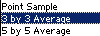
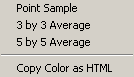
The eyedropper can be used for gathering color data for
adjustment, and comparison purposes. The eyedropper is also
used for selecting foreground, and background colors, and
for identifying tone values.
To change the foreground color, click with the eyedropper
on the desired color anywhere in the current image, or in
any other open image, active or not. To change the background
color, Alt-click, with the eyedropper, on the desired color
in any open window.
The eyedropper’s color values can be seen, on the fly,
wherever you move the cursor, by opening the Info palette
and observing the numbers next to the eyedropper icons there.
See the Info palette page for more details..
The eyedropper tool can be temporarily accessed when using
any painting tool by pressing the Alt key.
Note - if your Alt key does not appear to be working
in Elements, you may have another program running in the
background that has taken over that key. GuruNet (Atomica)
and FlySwat are two such applications. Uninstall them, or
reassign the hot key in those programs to regain use of
the Alt key in Elements.
The keyboard shortcut key for the eyedropper is the letter
I.
|
 BreBru.com